Brainstorming Icons to Transform Projects with Simplicity
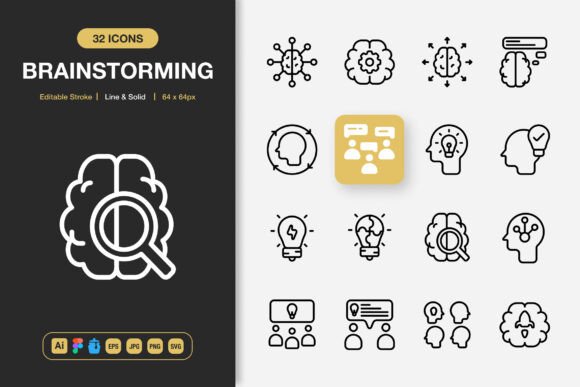
Icons often carry more weight than we give them credit for. In a single glance, a carefully chosen symbol can explain a feature, guide a reader, or spark an idea. The Brainstorming Icons set brings together a large, thoughtfully designed collection that works across websites, mobile apps, presentations, printed materials, and social media. Instead of hunting through mismatched freebies, you get one cohesive library with both line and solid style options, crafted to slide into nearly any visual project. Whether you are an entrepreneur pulling together a pitch deck or an educator building course handouts, the right icon can make your message clearer without adding visual clutter.
Why Icons Matter Across Different Creative Worlds
A marketer might see icons as tiny billboards that reinforce a brand’s voice. A developer may treat them as the visual glue holding the user interface together. For a small business owner, an icon is a shortcut that makes a flyer or menu feel instantly more professional. The same simple graphic can serve all these purposes, but people evaluate it through their own priorities. A beginner often wants something that works out of the box—drag and drop, no fuss. An experienced graphic designer will dig into editable strokes and source files, customizing every detail to match a brand guide. The Brainstorming Icons pack anticipates these different needs by including both quick‑use formats like transparent PNGs and fully layered Adobe Illustrator and Figma files.
Line and Solid Styles: Two Personalities, One Library
Having a choice between outline and filled styles isn’t just nice to have; it changes the tone of your project. Line icons feel light, modern, and work beautifully inside infographics, where you don’t want to distract from data. Solid icons give weight to buttons, navigation bars, or any place where you need an interface element to pop. The Brainstorming Icons set includes both variations for the same concept, so you can keep a consistent visual language across a website and its matching printed brochure. The editable stroke setting means you aren’t stuck with the default thickness. A UI designer building an app can thin out the line to match a Scandinavian aesthetic. A flyer designer can bolden the stroke so the icon holds up against heavy text. That kind of control usually requires rebuilding assets from scratch.
The Versatility Files: What’s Inside the Pack
The true test of any icon set is whether it fits into your existing workflow. These files arrive in formats that cover the most common creative environments:
- SVG and EPS (Version 10) – resolution‑independent vector files for scaling to any size, ideal for print, large banners, or detailed vector editing.
- PNG with transparency – ready to drop into social media graphics, PowerPoint slides, or blog posts without any conversion.
- Figma file and Iconjar file – specifically prepared for UI/UX teams and app designers who want to browse, search, and drag icons directly into prototypes.
- Source Adobe Illustrator file – full editability for seasoned designers who need to recolor, reshape, or animate elements.
- JPG – a handy fallback when you need a lightweight raster without transparency.
Beyond the formats, a simple Readme.txt explains usage and licensing so you can jump in right away. This thoughtful pack turns what could be a messy folder of random images into a structured resource you return to again and again.
How a Startup Founder Might Rely on These Icons
When you are building something new, time is your scarcest resource. Founders often create pitch decks, one‑page explainers, and early‑stage websites on tight deadlines. The Brainstorming Icons set speeds up that process because the icons are already high quality and consistent. A founder can drag the Figma file into a prototype for a mobile app, then use the same solid icon as a PNG on a social media announcement. There is no need to worry about mismatched line weights or different art styles. If an investor presentation needs a diagram, the editable vectors let you recolor icons to match the company palette without any loss of sharpness. This kind of polish signals attention to detail, even when you have no dedicated design team.
A Blogger’s Secret to Scroll‑Stopping Social Media
Social media moves fast. A blog post needs a featured image, an Instagram story calls for a quick visual cue, and a Pinterest pin demands a clean composition. Minimalist icons work especially well here because they don’t fight for attention. A lifestyle blogger can pair a delicate line icon with a photo to create a calm, modern aesthetic. A tech reviewer might use solid icons as bullet points in a Twitter thread image. Because the Brainstorming Icons set includes transparent PNGs, bloggers don’t have to open heavy design software. They can drop icons into Canva, overlay them on backgrounds, and export without ever touching a vector path. Yet if they later need to tweak the stroke color for a new template, the SVG and AI files are waiting.
Educators and Instructional Designers: Clarity Without Clutter
Learning materials live and die by how quickly a student can grasp a concept. An icon beside a key term reduces cognitive load. A small graphic in a worksheet can turn a dry exercise into something more approachable. Teachers, course creators, and instructional designers often need to produce both digital slides and printable handouts. The scalable EPS and SVG formats ensure that icons stay crisp on a large classroom poster or inside a printed workbook. The ability to swap between line and solid styles also helps create a visual hierarchy—perhaps a solid icon for chapter titles and a line icon for sub‑tasks. Because the set is 100% customizable, an educator can adjust the stroke width to match the readability needs of younger learners or warm up the colors for a friendlier feel.
When Customization Becomes a Competitive Edge
Agencies and freelancers often face clients with very specific brand rules. A default icon can feel too generic or might clash with a strict color system. This is where editable source files change the game. With the included Adobe Illustrator file, you can not only recolor but also restructure individual icon elements. You might combine two symbols to create a new concept, simplify a detail that doesn’t match the brand’s minimal voice, or export the same icon in different stroke configurations for web and print. The Iconjar file is a treat for UI designers who manage large libraries; it lets you search by keyword, drag assets directly into Sketch or Figma, and keep a tidy asset panel. This kind of flexibility turns a one‑time purchase into a toolkit you continuously adapt rather than outgrow.
Long‑Term Value: One Set, Countless Applications
A single project rarely stays in one medium. A hobbyist may start with a personal blog, then print a birthday invitation, and later design a few stickers for a community event. The Brainstorming Icons set travels with you through all those transitions. Because the core style is minimalist, it doesn’t look dated as trends shift. The availability of both raster and vector files means you are never locked into a resolution. A small business owner designing a banner for a weekend market gets the same sharp edges as someone building a high‑fidelity mobile app mockup. And when a project suddenly requires a different file type—say a collaborator needs EPS instead of SVG—you already have it. The pack becomes a quiet foundation that supports you across websites, flyers, books, posters, and infographics without constant re‑sourcing.
Does This Set Match Your Project Needs?
If your design tools already include Figma, Illustrator, or any app that accepts SVG, you can start using these icons within minutes. Check the style previews first. If your brand voice is playful and bold, the solid icons might become your workhorses. If you lean toward airy, editorial looks, the line set will feel like a natural fit. Beginners can rely heavily on the PNG and JPG files—just drop them in and go. Professionals will appreciate the layered AI file and the quick search function inside Iconjar. The editable stroke is a small detail that makes a big difference when scaling for different outputs. Instead of buying separate icon packs for different projects, this collection covers a wide enough range that you can maintain a unified look across anything you create. And because the package includes a straightforward readme, you won’t waste time guessing about usage rights or format specifics. Everything is designed to be dragged, dropped, and adapted with as little friction as possible, so your next project feels smoother from the first day.